Not a customer yet?
Click on the link below and we’ll get you connected with one of our specialists.
Imagine growing your restaurant business without adding tables, expanding square footage, or even hanging a new sign. That's the promise of virtual restaurants: digital-only brands that operate from real, working kitchens but exist entirely online. For restaurant operators, they offer a new way to maximize kitchen resources, unlock delivery revenue, and quickly test fresh menu ideas without taking on major overhead costs or risk.
Our detailed guide walks you through the real-world mechanics step by step. We'll break down every stage, from choosing a virtual restaurant model and getting set up, to managing online orders, streamlining prep, and tracking performance after delivery. Along the way, you'll see practical tools, process details, and common workflows, so you can picture each step as if it's happening in your own back-of-house.
If you're asking, "How do virtual restaurants work? and could I really add one to our existing restaurant operation?", this guide has been made precisely for you. Read on to see how today's online restaurant business model really operates, from day one to delivery.
What Makes a Restaurant "Virtual"?
At its core, a virtual restaurant is a delivery-only dining concept that operates out of an existing commercial kitchen. Unlike traditional restaurants, there's no storefront, signage, or guest seating. Everything is designed for off-premise, online orders.
The terminology can get confusing, so let's clarify the differences:
Virtual Restaurant (or Virtual Brand): A fully digital brand that lives on food delivery apps like Uber Eats or DoorDash. It uses a real kitchen (often inside another restaurant) to prepare food, but the brand's "front door" is its online menu.
Ghost Kitchen: A commercial kitchen space built solely for delivery and takeout. Ghost kitchens often host multiple brands (sometimes created by different operators) in one facility, allowing each to reach customers online. There's no public-facing dining area, just prep space and a handoff zone for couriers.
Key characteristics that set virtual restaurants apart from brick-and-mortar restaurants:
- No on-site dining: All orders are received and fulfilled online
- Online-only storefront: Customers find these brands exclusively on delivery apps or food-ordering websites
- Delivery-focused: Menus, packaging, and workflow are designed for takeout and at-home enjoyment
- Scalable: One kitchen can easily launch and manage multiple virtual brands, each with its own unique menu and online identity
For restaurant operators, this flexibility offers new ways to reach customers, test concepts, and make the most of your existing staff and infrastructure while eliminating overhead of a new dining room.
Setting One Up: What's Needed to Start a Virtual Restaurant?
Launching a virtual restaurant involves more than just turning on an app. You need a streamlined system that leverages your existing resources while building a digital-first dining experience. Here are the key requirements and best practices:
1. Commercial Kitchen Space You need a licensed, commercial kitchen to operate legally. Most virtual restaurants launch from an existing restaurant, taking advantage of excess capacity and kitchen staff. Alternatively, you can lease a dedicated space or use a shared kitchen depending on your goals and market.
2. Integration with Food Delivery Platforms The backbone of the virtual restaurant model is delivery. Set up your brand and new menu on third-party delivery platforms like Uber Eats, DoorDash, and Grubhub. These food delivery apps make your virtual storefront visible to a wide audience and handle logistics such as order taking and courier dispatch.
3. Point-of-Sale (POS) & Order Management Systems Efficient order management is crucial since you might operate multiple brands or high delivery volume. Modern POS systems (like Otter ) offer features such as:
- Order consolidation from multiple platforms (reducing "tablet chaos")
- Kitchen Display System (KDS) integration for streamlined ticketing
- Inventory tracking and menu updates across all platforms
- Real-time analytics and sales reporting
4. Menu Design & Branding Create a menu that is "delivery proof" by including menu items that maintain food quality during transit. Limit to 6–15 high-margin, easy-to-prepare dishes. Take advantage of high-quality food photography and branding as customers will only be engaging with you online (via menus, logos, and packaging images).
- Use visually appealing, easy-to-read menu layouts
- Stay within delivery app photography requirements (neutral backgrounds, dish-centered images, proper lighting)
- Design distinctive branding so your virtual brands stand out among competitors
5. Optional Enhancements Packaging: Invest in tamper-evident, insulated, and branded packaging to ensure food arrives fresh and builds brand recognition.
Professional Photography: Capture sharp, high-resolution images that showcase hero dishes. Delivery platforms have specific guidelines, so photos should be clear, well-lit, and not overcrowded.
Virtual Storefront: Build a microsite or website, or leverage online ordering platforms with a custom page to offer promotions and direct orders.
A Behind-the-Scenes Guide on How Virtual Restaurant Work
To truly understand the virtual restaurant model, you need to step into the kitchen and follow the journey of a single order from start to finish. Here's exactly what happens each time a customer taps "order" on a delivery app, so you can see how virtual restaurants work in practice, from the first click to final delivery.
1. Customer Places an Order (Frontend Experience) A hungry customer opens Uber Eats, scrolls through local options, and lands on your virtual restaurant's page. They browse the menu, studying your mouthwatering food photography. After choosing a BBQ chicken sandwich and adding extra sauce, they review their cart and check out by entering their payment and delivery details.
The moment they hit "order," the app sends a digital confirmation to both the customer and your restaurant's backend system, triggering the entire operational flow inside your kitchen.
2. The Order is Received by the Kitchen (Order Management) Your kitchen's technology springs into action:
- The order appears on a tablet displaying your delivery aggregator's dashboard, such as Uber Eats
- If you operate several virtual brands, an Order Management System (OMS) or centralized Kitchen Display System (KDS) like Otter captures and organizes orders from all platforms in one place
- Each order enters the queue based on timestamp and priority, displaying details like dish choices, customizations ("extra sauce"), and special requests
This automation keeps communication clear, prevents missed tickets, and optimizes prep flow, organization that's especially crucial when juggling multiple virtual brands.
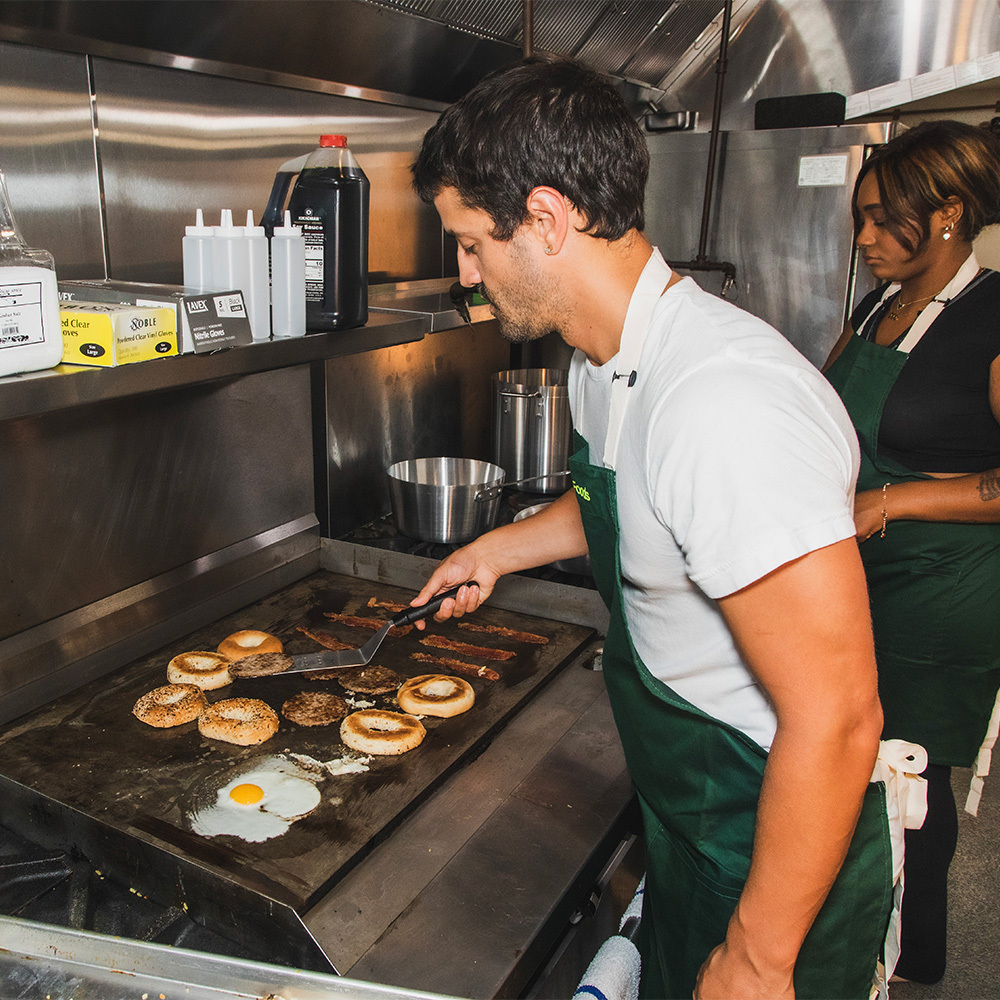
3. The Kitchen Prepares the Meal (Prep & Coordination) Your team sees the new order appear on the touchscreen. Each station knows exactly what to prepare thanks to the system's clear task breakdown.
Meanwhile, the system prints labels showing the customer's name and items for each bag. This prevents mix-ups during high-volume periods when you're managing delivery orders from multiple virtual brands simultaneously.
4. Packaging and Handoff (Quality Control + Courier Coordination) The finished meal gets sealed in tamper-evident, branded packaging designed for temperature control and food safety. Kitchen staff place the order in your designated pickup area, clearly labeled for couriers.
Behind the scenes, your OMS syncs the order status with the delivery platform, automatically alerting available delivery drivers in the area. A driver accepts the job, arrives at your kitchen, checks the order ID against their app, and confirms the package is the right one before heading out.
5. Real-Time Delivery & Tracking Now the focus shifts to the customer experience. They receive live updates showing the courier's location, estimated arrival time, and delivery status. Meanwhile, your restaurant's dashboard logs each step: monitoring prep times, delivery durations, and flagging any bottlenecks or delays.
This data later helps optimize kitchen performance, helping you maintain high customer satisfaction scores that drive repeat orders and expand your customer base.
6. Post-Order: Reviews, Refunds & Analytics After delivery, customers rate their experience and leave feedback. If there are issues, they can request refunds through the delivery app. Your virtual restaurant receives performance data: star ratings, speed metrics, and details about repeat versus new customers.
Many operators use this feedback loop to refine menus, adjust kitchen workflows, or launch targeted promotions to boost ratings and sales.
Who Are Virtual Restaurants Best For
Virtual restaurants are reshaping how diverse operators approach the online restaurant business. Their adaptability and low barrier to entry make them a fit for a range of entrepreneurial scenarios. Here's how the virtual restaurant model serves different profiles.
1. Existing Restaurants Adding a Digital Brand For restaurant operators with established kitchens and staff, opening a virtual restaurant provides an instant way to boost sales and maximize resources. By spinning up a new menu under a digital-only brand, you can reach new customer segments and keep your team busy during off-peak hours.
2. Entrepreneurs Testing a New Concept Entrepreneurs without a storefront can use shared kitchen space or commissary facilities to test bold new restaurant ideas with minimal upfront investment. Since virtual brands live entirely online, operators avoid the risk of high rental commitments.
3. Ghost Kitchen Facilities Scaling Multiple Concepts Professional ghost kitchen operators establish dedicated spaces designed for running multiple virtual restaurant brands simultaneously. This approach allows rapid expansion into new neighborhoods or markets by deploying scalable digital brands.
Why Virtual Restaurants Work
- Low-risk, high flexibility: Launch without leasing a new space or hiring more staff
- Market validation: Test concepts and tweak menus rapidly using real customer data and reviews
- Multi-brand, single kitchen: Run several concepts targeting different food trends, all under one roof
Virtual restaurants empower restaurateurs and entrepreneurs alike to innovate quickly, extend reach, and adapt to shifting consumer habits, often with just the ingredients and tools they already have in the kitchen.
What Role Does Future Foods Play?
For restaurant operators considering the leap to a virtual restaurant, Future Foods serves as an end-to-end partner. Here's how we support every stage of your virtual brand journey:
Turnkey Setup & Brand Matching Future Foods begins by evaluating your kitchen's strengths, existing inventory, location, and operational bandwidth. This hands-on discovery process results in a tailored match with a virtual restaurant concept that fits your goals and current resources. Once your concept is chosen, Future Foods handles the entire setup of delivery apps: building your digital storefront, integrating menus, and providing branded visuals designed to captivate online customers. There's no need for new hires or additional equipment; their solutions are built to maximize what you already have in place.
Menu & Kitchen Alignment Rather than asking you to overhaul your restaurant kitchen, Future Foods ensures every new brand complements your current workflow and ingredient list. This approach reduces waste, minimizes complexity, and lets you make the most of existing staff and prep lines.
Unparalleled Marketing Support One of the most powerful advantages of the Future Foods business model is its commitment to growth through marketing. Future Foods invests up to 20% of their gross merchandise value (GMV) into advertising and promotional activities – up to four times the industry average! Our support includes:
- Branded food photography to boost menu appeal on apps
- Featured placement and strategic campaign management on major delivery apps
- Digital ad campaigns to raise brand awareness and drive sales
Operational Support To help you thrive and scale, our team monitors your performance, tracking order flow, customer feedback, and revenue for ongoing optimizations. With our tools and dashboards, restaurant owners can efficiently manage multiple brands from one kitchen, keeping operations smooth as you diversify offerings or ramp up volume, all with expert support at every step.
Summary With Future Foods, restaurant partners gain:
- A proven brand concept tailored to their business
- Seamless onboarding across all major delivery platforms
- Best-in-class photography and digital storefronts for maximum conversion
- Strong marketing campaigns to attract new customers
- Continuous operational guidance
Thinking about launching your own virtual restaurant brand? With Future Foods as a partner, operators receive a full-service playbook for success, from menu alignment to marketing, making the process efficient and accessible for kitchens of all sizes.
Contact Future Foods today for a free consultation and discover which of our proven virtual brands could be the perfect match for your restaurant.